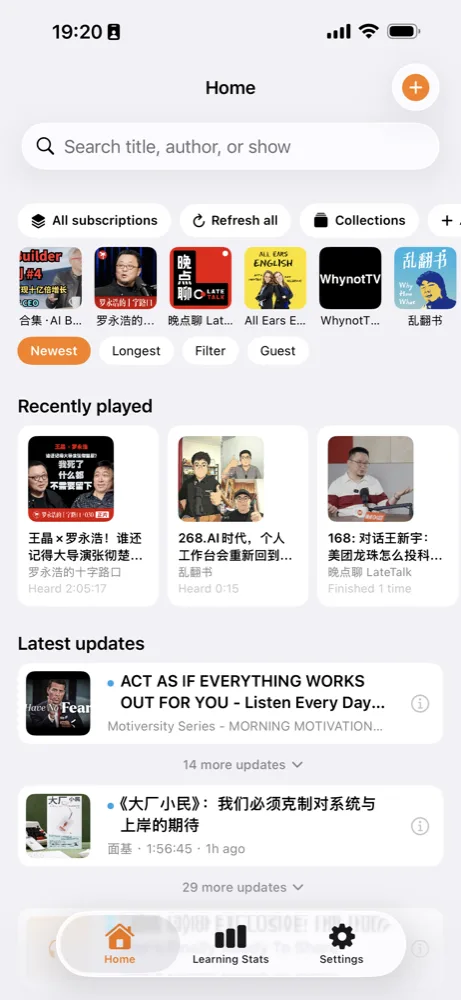
每天稳稳地播
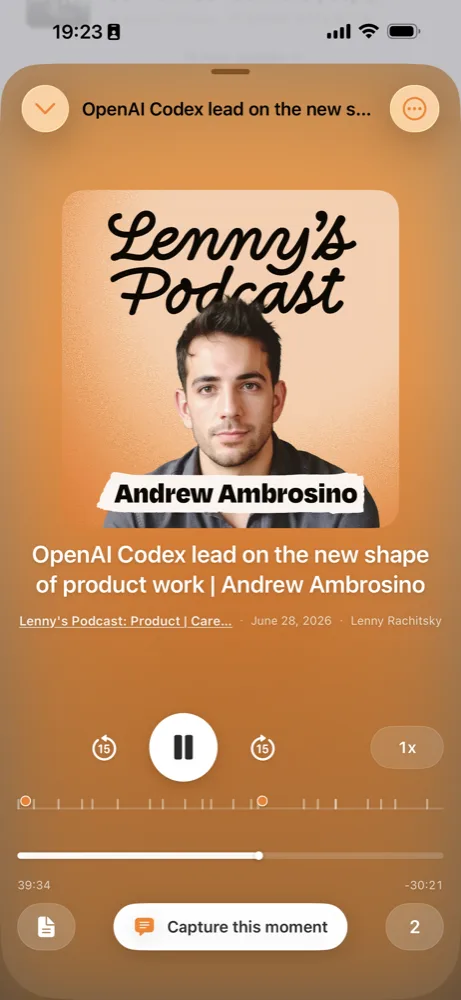
打开 App 就接着上次的位置;Mini Player 全程跟随,一点即回。跑步、通勤、家务、睡前,天天可靠。
已上架 App Store iOS 17+ · 买断制 · 不收集任何数据
ContextEcho 是一款克制的音频学习伴侣:中英文播客、B 站视频与合集、YouTube 播放列表, 在同一个时间线里稳稳续听;底部的学习统计告诉你连续多少天、 听了多少小时、最常听谁。不推送、不打卡、不刷推荐流。
 iPhone 扫码
三件事
ContextEcho 只做好这几件事,其余的刻意不做。
打开 App 就接着上次的位置;Mini Player 全程跟随,一点即回。跑步、通勤、家务、睡前,天天可靠。
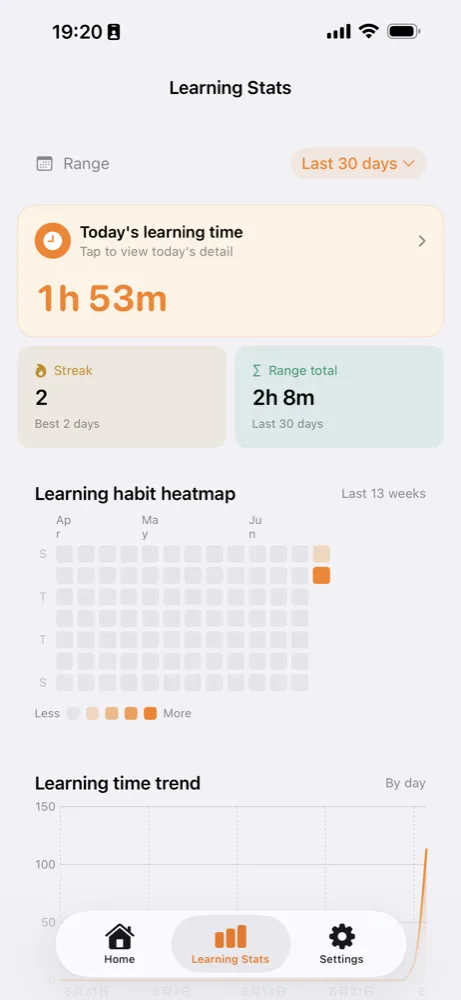
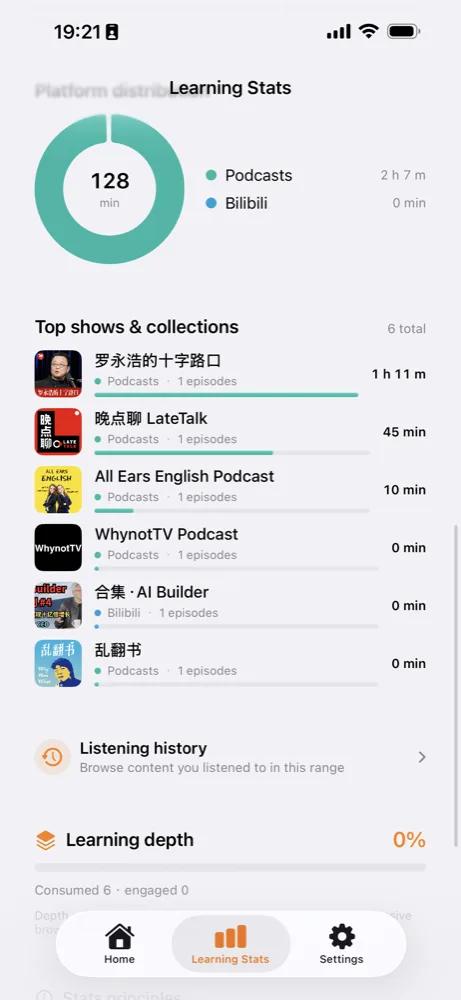
连续天数、累计时长、节目排行、平台分布、学习热力图——一面属于自己的收听镜子,打开一眼就懂。
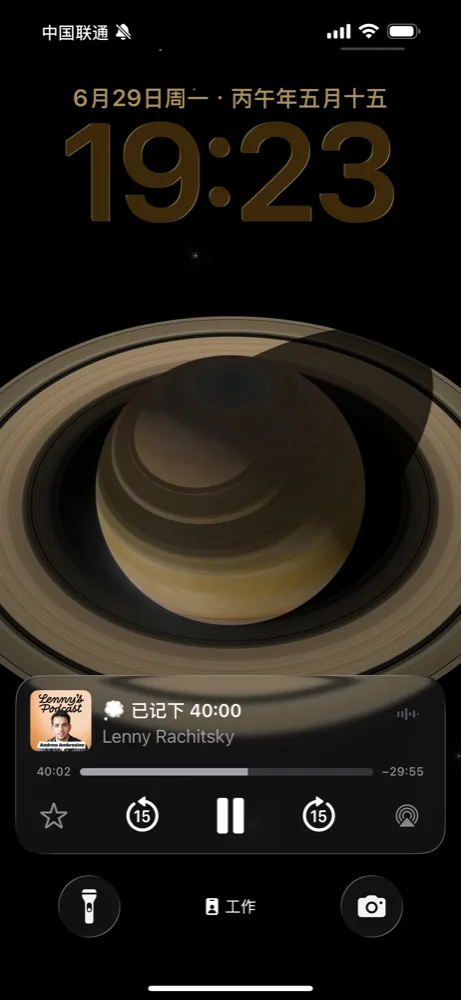
Smart Speed 跳静默、Voice Boost 提人声;锁屏、CarPlay、控制中心、耳机操作就绪。不推送、不打卡。
真实截图
没有渲染图,没有「即将推出」。点开任意一张放大看。
2 分钟介绍
发布在 X 上的介绍视频,5,000+ 次观看。
一个入口
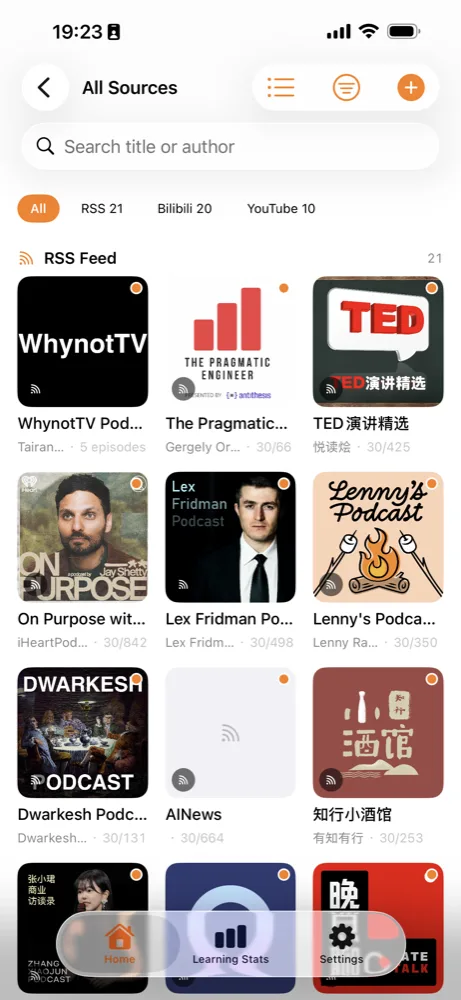
播客 RSS、小宇宙链接、B 站视频与合集、YouTube 视频与播放列表——粘贴链接就能导入, 全部汇入同一个时间线。网页文章也支持。
学习统计
这不是附属功能,是 ContextEcho 存在的理由:每天打开,知道自己没有让时间白白溜走。
数据全部本地存储,可随时导出 JSON,也可以随时删除。
听感
Smart Speed 自动跳过语句之间的静默、保持音调自然,省下来的时间计入你的学习统计; Voice Boost 让人声更清晰,长听不累。
偶尔用得上
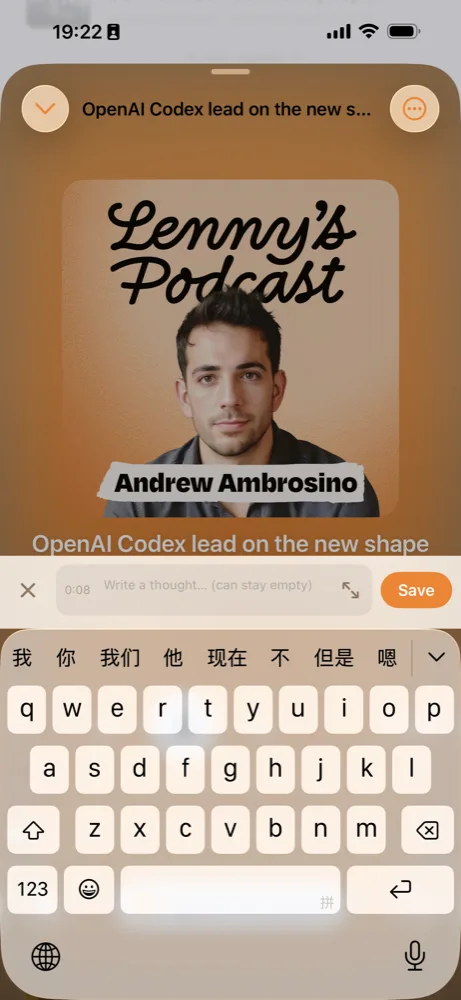
耳机双击、锁屏一下、Siri 一句、控制中心一按——当前播放位置立刻钉在时间轴上, 也可以顺手写一句想法。事后在单集详情里找回。
这不是主流程:用得上就用,不用也不会被催。没有每日提醒,没有小红点。
诚实沟通
买之前先看这里——你的时间和 $5.99 都很贵。
常见问题
一款 iOS 学习统计播放器:把中英文播客(RSS / 小宇宙)、B 站视频与合集、YouTube 播放列表放进同一个时间线续听,并在「学习统计」里看见连续天数、累计时长、节目排行与学习热力图。
买断制付费 App(美区 $5.99,其他地区以 App Store 当地定价为准)。一次购买、无订阅、无内购,支持家人共享(最多 6 人)。
播客 RSS 与小宇宙链接、B 站视频与合集、YouTube 视频与播放列表,以及网页文章。粘贴链接即可导入,所有来源共用一个时间线和一个学习统计页。
不会。App Store 隐私标签为「未收集数据」:无账号系统、无分析 SDK。收听记录、标注和笔记全部存在本机,不上传云端,可导出 JSON 也可随时删除。
可以。播客单集可下载离线收听;原文、时间戳标注和笔记都可以离线阅读与编辑。联网只在你主动刷新订阅或在线播放时发生。
它不做节目发现、社交、评分榜单和推荐流,专注两件事:打开就稳稳续听;回来能看见自己听了多少。如果你要的是「发现新节目」,它可能不适合你;如果你要的是「把已订阅的听完并看见积累」,它正合适。
Smart Speed 自动跳过语句之间的静默并保持音调自然,省下的时间计入学习统计;Voice Boost 提升人声清晰度,长时间收听更轻松。两者都可以随时开关。
需要 iPhone(iOS 17 及以上),Apple Silicon Mac 也可运行。界面支持简体中文和英文;锁屏、CarPlay、控制中心与耳机控制均已就绪。
一次买断,无订阅无内购。装上之后,第一件事就是把你常听的节目粘贴进来。
用出问题、有建议? 或发邮件到 yangwen.yw@gmail.com, 也可以在 X 上私信我。
On the App Store iOS 17+ · One-time purchase · No data collected
ContextEcho is a calm audio companion: Chinese & English podcasts, Bilibili videos and collections, and YouTube playlists in one timeline — with a Learning Stats tab that shows your streak, listening hours, and top shows. No push. No guilt. No recommendation feed.
Scan with iPhoneThree things
ContextEcho does a few things well, and deliberately skips the rest.
Open the app and continue from your last position. The Mini Player follows you across pages — one tap and you're back.
Streak, total hours, show rankings, platform split, and a habit heatmap — a mirror of how you actually listen.
Smart Speed skips silence, Voice Boost lifts voices; lock screen, CarPlay, Control Center and earbuds ready. No nags.
Real screenshots
No mockups, no "coming soon". Tap any screen to zoom in.
2-min intro
The intro video posted on X — 5,000+ views.
One inbox
Podcast RSS, Xiaoyuzhou links, Bilibili videos and collections, YouTube videos and playlists — paste a link to import. Everything lands in one timeline. Web articles work too.
Learning Stats
Not a side feature — it's why ContextEcho exists: open it once a day and know you're not letting time slip away.
All data stays on device. Export as JSON, or delete it — anytime.
Sound
Smart Speed trims the gaps between sentences while keeping pitch natural — the time saved counts toward your stats. Voice Boost makes long listening easier on the ears.
When you need it
Double-tap your earbuds, tap the lock screen, ask Siri, or hit Control Center — the current second gets pinned on the timeline, optionally with a quick note. Find it later in the episode detail.
Not the main loop: use it when you want. No daily reminders, no badges.
Honest scope
Read this before you buy. Your time and $5.99 both matter.
FAQ
A learning-stats player for iOS: Chinese & English podcasts (RSS / Xiaoyuzhou), Bilibili videos and collections, and YouTube playlists in one timeline — with streaks, hours, show rankings, and a habit heatmap in Learning Stats.
It's a one-time purchase ($5.99 US; local pricing varies by storefront). No subscription, no in-app purchases. Family Sharing supported for up to six members.
Podcast RSS and Xiaoyuzhou links, Bilibili videos and collections, YouTube videos and playlists, plus web articles. Paste a link to import; everything shares one timeline and one stats tab.
No. The App Store privacy label is "Data Not Collected": no account, no analytics SDKs. Listening history, markers and notes stay on your device; export as JSON or delete anytime.
Yes. Podcast episodes can be downloaded; text, markers and notes are readable and editable offline. Network requests happen only when you refresh subscriptions or stream.
No discovery, social, charts or feeds. It focuses on two things: play reliably when you open it, and show you what you've been listening to when you return. If you want to discover shows, it's not for you; if you want to finish what you subscribed to and see the hours add up, it is.
Smart Speed skips the silences between sentences while keeping pitch natural — saved time counts toward your stats. Voice Boost lifts voice clarity for easier long listening. Both can be toggled anytime.
iPhone with iOS 17 or later (runs on Apple Silicon Macs too). The UI is available in English and Simplified Chinese; lock screen, CarPlay, Control Center and headphone controls are all supported.
Buy once — no subscription, no in-app purchases. First thing after install: paste in the shows you already listen to.
Questions or feedback? Email yangwen.yw@gmail.com or DM me on X.